
PDFlavor API: automate your PDF pipeline
For products and back-office systems that process high volumes of documents, API-driven workflows can reduce manual effort and improve consistency.
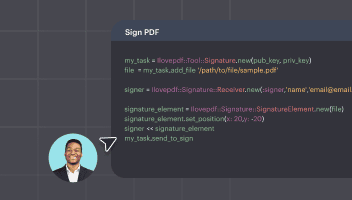
Typical API use cases
Automatic conversion for incoming office files, server-side merge for generated reports, and secured output delivery for customer portals.
Integration strategy
Start with one high-impact operation, monitor output quality, then expand to adjacent PDF tasks. Incremental rollout lowers risk and speeds adoption.
Why automation helps
Automation removes repetitive manual steps, improves reliability, and creates consistent output standards across departments.
Popular free tools on PDFlavor
Complete guide: how to get better PDF results with a free service
Frequently asked questions
Is PDFlavor really free?
Yes. Core PDF operations are available for free so users can complete everyday document tasks without subscription friction. The goal is to keep essential workflows accessible while maintaining quality and speed.
Which tools are most used?
The most used actions are usually merge, split, compress, convert, protect, and unlock. These solve the majority of work and study document scenarios and are optimized for quick completion.
How can I improve PDF quality after conversion?
Use well-structured source files, avoid repeated multi-format conversions, and perform one final review before sending documents. If needed, run organize and page cleanup as the last step.